Key Takeaways
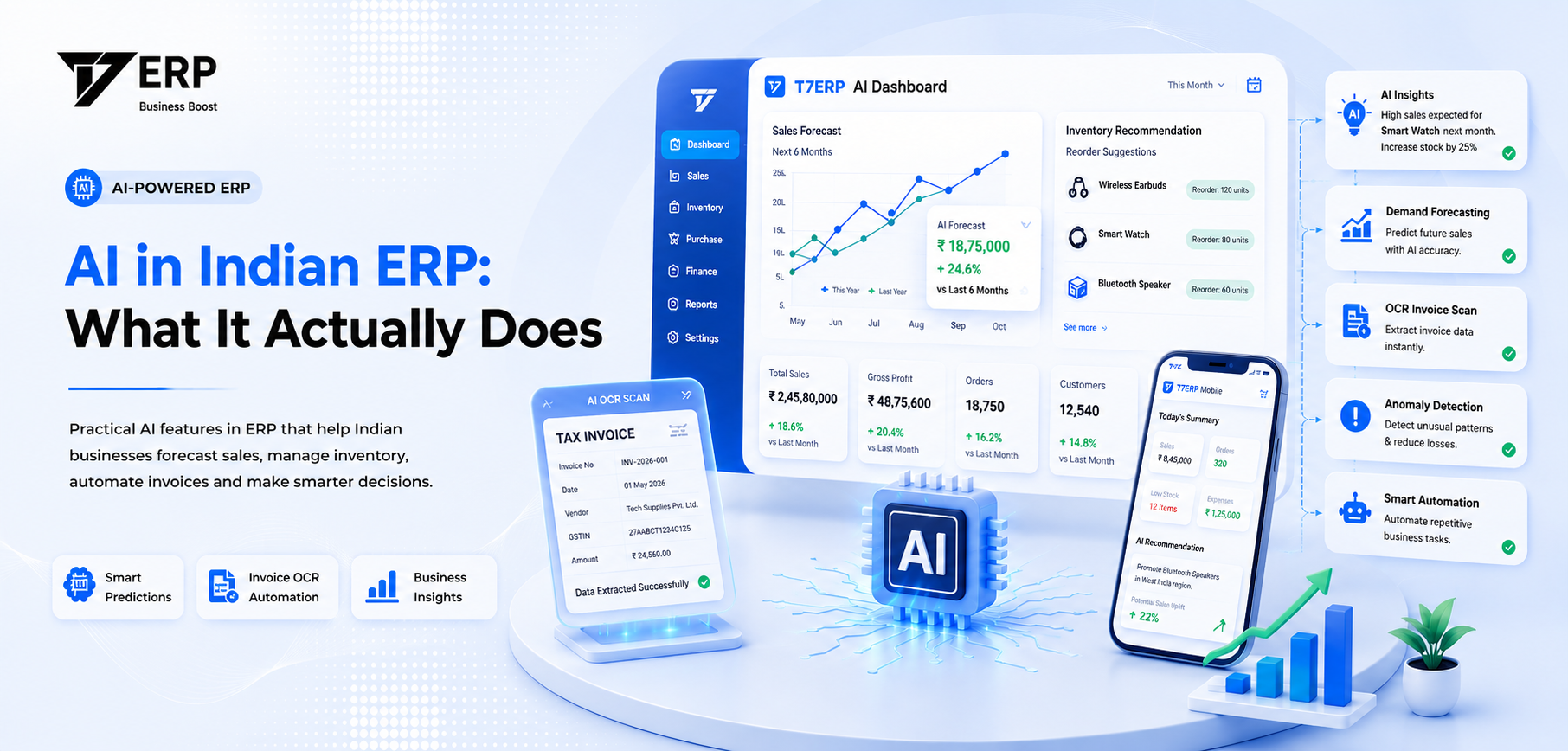
- AI in ERP is pattern recognition on historical data, helping you make specific decisions faster.
- AI sales forecasting updates in real-time with transactions, unlike static spreadsheets.
- Cash flow alerts model future cash based on commitments, flagging shortfalls before they happen.
- OCR converts purchase invoices (PDF/images) to structured data to reduce entry time and GST errors.
- Verify vendor AI claims by checking if they generate automated insights live without manual pulling.
67%
of Indian SMB owners don't understand what AI does in their ERP
Rs 2.4 L
average monthly loss from delayed/mismatched invoice entries
3-5 days
time saved per month by retail teams using AI tools
Your software vendor said “AI-powered” and moved on — but your invoices are still sitting unread, your cash is still a mystery, and your sales forecast is still a guess.
01Why “AI-powered” has become meaningless — and what to ask instead
Every software vendor in India now says “AI-powered.” Some mean it. Most don’t.
The honest version: AI in an ERP is not a robot that runs your business. It is pattern recognition applied to your operational data. It looks at what happened in the past — your sales, your payments, your inventory movements — and uses that to surface insights you would otherwise miss or calculate too late.
The useful question to ask your vendor is not “Does it use AI?” It is: “What specific decision does the AI help me make faster?”
If they cannot answer that in one sentence, the AI is a label, not a feature.
Here is what genuine AI functionality in an ERP actually looks like for an Indian retail or distribution business:
- 1It reads your historical sales data and tells you what to order before you run out.
- 2It flags when a customer's payment pattern is changing and a late payment is likely.
- 3It scans and reads purchase invoices automatically, matches them to purchase orders, and tells you where the numbers don't add up.
- 4It alerts you when your available cash will drop below a threshold — before it happens.
02AI sales forecasting: what it does and how it works
Most Indian SMB owners forecast sales one of two ways: gut feel, or last year's numbers plus 10%. Both are fine until you're sitting on Rs 4 lakh of overstock after a slow season, or you ran out of your fastest-moving SKU three days before Diwali.
AI sales forecasting works differently. It doesn't just look at last year's numbers. It looks at:
- •Sales velocity by SKU over the past 12–52 weeks
- •Seasonal spikes specific to your category (Diwali, Holi, wedding season, monsoon slowdown)
- •Day-of-week and week-of-month patterns in your own business
- •How a price change you made 6 months ago affected demand
Then it outputs a number: order X units of this SKU before Y date.
The key difference from a spreadsheet is recalculation speed. A spreadsheet updates when you update it. An AI forecast updates the moment new sales data comes in — every transaction shifts the model.
Comparison
Manual vs AI Sales Forecasting
- ✓Predicts demand from your own sales history
- ✓Flags SKUs likely to stock out in 2 weeks
- ✓Identifies dead stock before it becomes a write-off
- ✓Adjusts automatically for seasonal spikes
- ✗Replace your buyer's knowledge of MOQs
- ✗Work well without 3–6 months of clean data
- ✗Handle brand-new products with no history
- ✗Guarantee accuracy — it gives probabilities
Works best with 6+ months of clean transaction history.
03Cash flow risk alerts: knowing your account is thin before it happens
The most stressful moment in an Indian SMB is watching your current account balance and wondering if three payments will clear before the supplier's NEFT hits.
Most ERP systems show you your bank balance. That's not AI — that's a number. AI cash flow alerts do something different: they model your future cash position based on what's already committed.
Here is how it works:
- 1The system reads your confirmed purchase orders (money going out) and outstanding invoices due from customers (money coming in).
- 2It maps the expected dates for each.
- 3It flags weeks where your projected outflows exceed projected inflows — before those weeks arrive.
- 4If a customer who usually pays in 30 days hasn't paid in 35, it increases the probability of a delayed inflow and adjusts the forecast.
The result: you see a red flag on Week 3 of next month saying “Projected shortfall of Rs 1.8 lakh — 3 customer invoices overdue, 2 supplier payments due.” You still have two weeks to act. You chase the overdue invoices, you negotiate a payment extension with one supplier, and the week passes without a crisis.
Without the alert, you find out on Thursday when the balance is already low.
Process Flow
How AI Cash Flow Risk Alerts Work
Read outflows
Purchase orders & payments due
Read inflows
Customer invoices & terms
Map to calendar
Match payments to next 4–8 weeks
Detect patterns
Customer delay detection
Generate Alert
Week 3 Shortfall: Rs 1.8L
04OCR invoice reading: what it is and why it matters for your GST
OCR stands for Optical Character Recognition. In plain terms: the AI reads a PDF or image of a purchase invoice and pulls out the key numbers automatically — supplier name, GSTIN, invoice number, line items, HSN codes, tax amounts.
Without OCR, someone on your team opens the PDF, reads the invoice, and types the numbers into your system. For a business receiving 40–50 purchase invoices a week, that's 3–4 hours of manual data entry. Every typo is a potential GST mismatch.
With OCR, the AI does the reading. Your team's job becomes verification, not typing.
Here is the full workflow with OCR in your ERP:
- 1Supplier emails a PDF invoice (or your team scans a paper one).
- 2OCR engine reads the document and populates all fields in the purchase entry.
- 3System auto-matches the invoice against the corresponding purchase order.
- 4Any discrepancy — wrong quantity, mismatched GSTIN, different rate — gets flagged before you approve the entry.
- 5Approved entries flow directly into GSTR-2B reconciliation.
The GST angle matters especially in India. If your input tax credit claim doesn't match your supplier's GSTR-1 filing, you get a notice. OCR reduces the human error that causes those mismatches.
T7 ERP's OCR engine handles invoices in English and common regional formats — including handwritten or printed invoices from local suppliers that don't always follow standard templates.
| Without OCR | With OCR |
|---|---|
| 3–4 hrs/week manual data entry | 20–30 min/week verification only |
| High risk of typos in GSTIN, HSN codes | AI-flagged mismatches before approval |
| GSTR-2B reconciliation done manually | Auto-matched against supplier GSTR-1 |
| Delayed invoice approval slows payments | Same-day approval possible |
Automated Workflow
OCR Purchase Invoice Pipeline
Receive invoice
PDF email or scanned paper invoice arrives
OCR reads document
AI extracts supplier, GSTIN, invoice number, items, and tax amounts
Auto-match to purchase order
System checks quantities, rates, and GSTIN against the PO
Human verification
Your team reviews flagged differences only, not the whole invoice
Flows to GSTR-2B reconciliation
Matched entries ready for Input Tax Credit claim
Reduces invoice processing time from 4 mins to under 1 min.
05AI in inventory: reorder alerts that actually understand your business
A basic reorder alert says: stock fell below 10 units, reorder. That's a rule, not AI.
An AI reorder alert says: based on your sales velocity over the last 8 weeks and your supplier's 12-day lead time, you will stock out of this item in 9 days. Recommended order quantity to last until your next review: 45 units.
The difference is context. The rule doesn't know your lead time, your sales trend, or that Navratri is in 3 weeks. The AI does — because all of that is in your transaction history.
What makes AI inventory alerts genuinely useful for Indian distribution and retail:
- •SKU-level velocity tracking: not just 'low stock' but 'low stock + selling fast + supplier takes long'
- •Branch-level visibility: one branch is out of stock, another has 60 units sitting idle — AI flags the transfer opportunity before you reorder from the supplier
- •Supplier reliability scoring: if your supplier consistently delivers 2 days late, the AI adjusts its lead time estimate accordingly
- •Dead stock flagging: items that haven't moved in 60 days get surfaced so you act before they become a write-off
Comparison
Rule-Based vs AI Reorder Alerts
Inputs:
Current stock quantity only
Inputs:
Sales velocity (8 weeks), lead time, seasonality, branch stocks
Rule tells you WHEN. AI tells you WHAT, HOW MUCH, and WHY NOW.
06What AI cannot do — and where human judgment still matters
This section exists because most vendor demos won't say this.
AI in an ERP is only as good as the data you put in. If your sales team raises invoices on paper and enters them weekly, the AI's forecast is a week stale. If your purchase team keeps a parallel register in Excel, the AI's inventory model has a hole in it.
The AI has no context for:
- •A large order from a new customer that's unlikely to repeat
- •A supplier who suddenly changed their MOQ or price
- •A regulatory change — like a new HSN code reclassification — that invalidates historical patterns
- •A competitor who just shut down, sending their customers to you
| AI Handles Well | Human Judgment Required |
|---|---|
| Patterns in your historical data | One-off events and exceptions |
| Flagging anomalies vs your own baseline | Interpreting why an anomaly happened |
| Calculating quantities and projections | Supplier relationships and negotiations |
| Routine reconciliation checks | Regulatory interpretation and compliance strategy |
The right way to think about AI in your ERP: it handles the mechanical pattern-matching so your team can focus on the judgement calls.
07How to evaluate if your ERP's AI is real — a 5-question test
You're in a sales demo. The vendor says “AI-powered analytics.” Here are five questions that separate real functionality from buzzwords:
Evaluation Checklist
5-Question ERP AI Verification
Can you show me one automated insight generated from my data — without me asking?
Good answer: Live demo of an alert or recommendation, not a manual query.
How quickly does the forecast update when new sales come in?
Good answer: Real-time or overnight. 'Monthly' is just a batch report.
What happens when the recommendation is wrong — can I correct it?
Good answer: Yes, corrections must feed back to improve future predictions.
What's the minimum data history needed for useful forecasting?
Good answer: 6–12 months of clean transactional data. If day one, ask how.
Which AI features are in the base plan vs premium add-ons?
Good answer: Clear tier breakdown to prevent billing surprises.
If they can't answer question 1 live in the demo — stop there.
T7 ERP includes AI sales forecasting, OCR invoice reading, and cash flow risk alerts in its core platform — not as a separate add-on module — which is worth checking when you compare pricing across vendors.
08Your 4-week action plan to evaluate and activate AI in your ERP
Dead weight in your current system and vague AI claims from vendors both have the same solution: start with your own data.
Implementation Calendar
4-Week ERP AI Action Plan
Baseline Audit
- •List 5 operational time-wasters
- •Check vendor AI claims
- •Audit 3 months of data quality
Vendor Evaluation
- •Send 5-question test
- •Request AI-focused demo
- •Ask for industry reference client
Pilot Test
- •Pick one AI feature to pilot
- •Run in parallel for 2 weeks
- •Log correct vs incorrect suggestions
Decision & Setup
- •Review pilot metrics
- •Activate if accuracy > 80%
- •Set 30-day team check-in
Takes under 2 hours total — spread across 4 weeks.
Week 1 — Baseline audit
- List the 5 biggest operational time-wasters in your business right now (invoicing, stock counts, payment chasing, forecasting, GST reconciliation)
- Check which of these your current ERP vendor claims to automate
- Pull 3 months of sales data and check if it's clean — consistent SKU names, no missing entries, purchase and sales in the same system
Week 2 — Vendor evaluation
- Send the 5-question test from Section 07 to your current and shortlisted vendors
- Request a demo focused specifically on AI-generated insights — not dashboards, not reports you pull
- Ask for a reference customer in your industry (garments, pharma, FMCG, distribution) who has used the AI features for at least 6 months
Week 3 — Pilot test
- Identify one AI feature to test: cash flow alert, reorder recommendation, or OCR invoice reading
- Run it in parallel with your current process for 2 weeks — don't trust it blindly yet
- Note every instance where the AI recommendation was right, wrong, or incomplete
Week 4 — Decision and setup
- Review your 2-week pilot notes
- If accuracy was above 80%, activate the feature fully and brief your team
- Set a 30-day review checkpoint — check if manual work has reduced and if team confidence in the system has grown
Common mistakes Indian ERP buyers and operations managers should stop making
How T7 ERP helps
T7 ERP combines billing, inventory, GST compliance, accounting, WhatsApp CRM, and AI forecasting in one connected system. So when a transaction occurs anywhere, the prediction model updates automatically.
Want T7 ERP to handle this automatically?
Auto GSTR-1, GSTR-2B reconciliation, e-Invoice, and e-Way Bill in one platform built for Indian retailers.
Conclusion
AI in your ERP is not magic and it is not a distant future thing. It is already here, it works, and the businesses using it well are spending less time chasing numbers and more time making decisions. The gap between a business that forecasts in Excel and one that gets automated reorder alerts every Monday morning is not technology — it's the willingness to ask the right questions and set the system up properly.
Better operations don't just save time. They free up cash, reduce write-offs, and make it possible to grow without chaos.
If you want to see what AI features look like on your actual data, T7 ERP offers a free walkthrough — bring your biggest operational headache and we'll show you exactly what the system would do with it.
Arjun Mehta
ERP Implementation & SMB Operations Advisor · T7 ERP
Arjun has 13 years of experience helping Indian retailers, distributors, and manufacturers evaluate and implement ERP systems — with a focus on making technology actually usable at the operations level. He has led ERP transitions for over 200 businesses across Gujarat, Maharashtra, and Tamil Nadu and regularly writes about what works (and what doesn't) in Indian business software.
Related Articles
The Ultimate GST Billing Checklist for Indian Retailers in 2026
12 min read
Why Your ERP Is Making You Slower (And What to Do About It)
7 min read
Reduce Dead Stock and Overordering with AI Inventory Management
7 min read
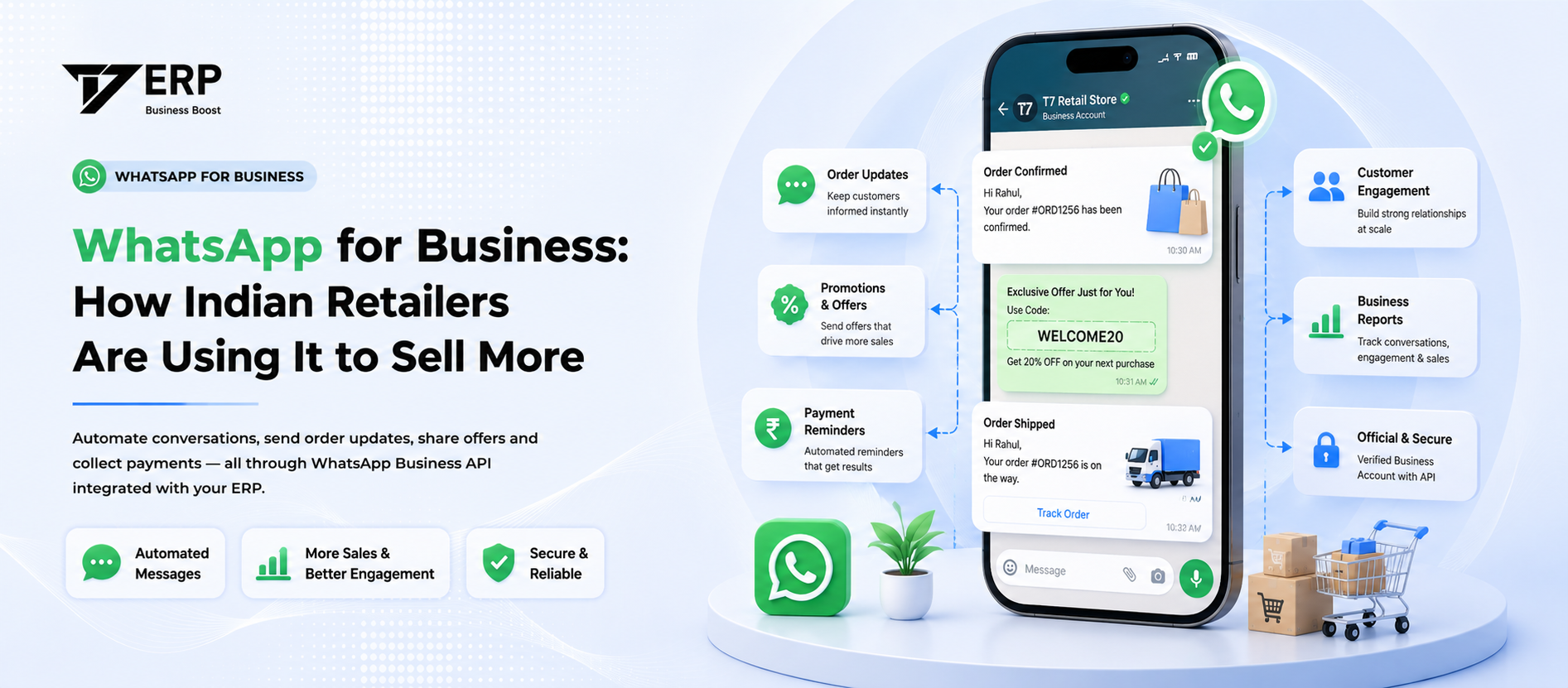
WhatsApp for Business: How Indian Retailers Are Using It to Sell More
7 min read